
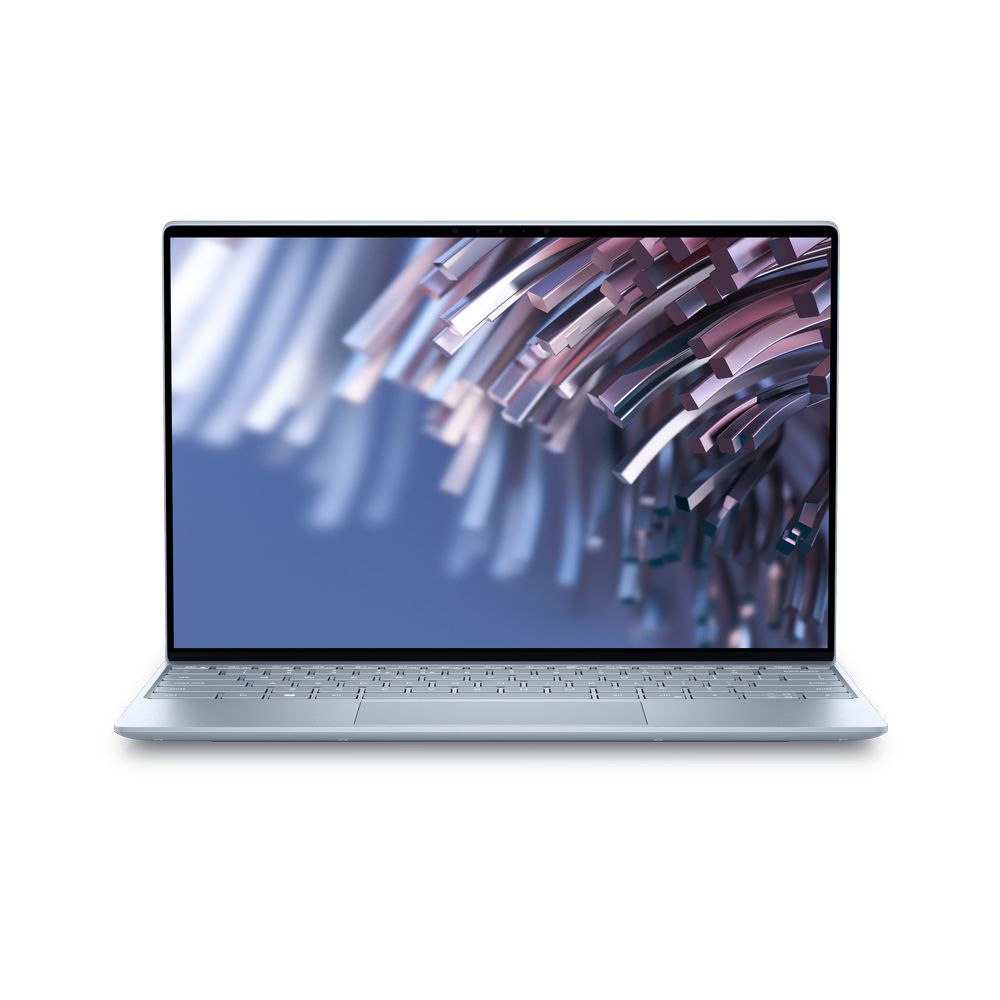
Dell XPS 9315 Core i7 12th Gen, 16GB DDR5, 512GB NVME, 13.3″ FHD+IPS LED, Windows 11
₨165000
Core i7 12th Gen, 16GB LPDDR5 5200MHz, 512GB NVME, 13.3″ FHD+IPS LED, Windows 11
people are viewing this right now
Out of stock
Details
Features & Design

Make everyday easier
Windows 11 comes with a modern design and multitasking tools to help you get it done faster, easier, and with style.
Your own personal AI assistant built right in to do the heavy-lifting so you can do the extraordinary. With Copilot in Windows get real answers, inspiration, and solutions for your questions, projects, and to-do-list.
Stay connected and do more with Microsoft Teams and Windows Studio Effects. Now you can eliminate distracting sights and sounds and elevate your video calls experience.
The ultimate on-the-go laptop

Razor thin body


Awe-inspiring sights and sounds
Performance you need
Unlock 1.5x higher performance than the previous XPS 13 with the latest 12th Gen Intel® processors.
Customize your laptop’s performance to suit your needs with the built-in Dell Performance application. Select from four modes – quiet, ultra-performance, cool or optimized. Default optimized mode enables the best balance of performance and thermals. When in ultra-performance mode, your system may run warmer, and fans may be louder. Choosing cool mode will limit temperature or decrease fan noise, which may impact system performance.


Modern design
Fast and secure sign-on

More sustainable than ever

Ports & Slots
USB-C to USB-A 3.0 adapter (included in the box) | USB-C to 3.5mm headset adapter (included in the box)

Dimensions & weights
Starting weight: 2.59 lbs. (1.17 kg)

Easier to be productive
Windows 11 comes with new multitasking tools to help you get it done faster, easier, and with style.
Maximize your screen real estate and stay neat with Snap layouts. Snap your apps and browser tabs in addition to your windows to a grid.
Group apps by purpose (like work or gaming) and to a desktop. Then, switch between instantly.

| Specifications | — |
|---|
GENERAL | |
|---|---|
| Brand | Dell |
| Series | Dell XPS |
| Model | XPS 13 9315 |
| OS Version | Windows 11 |
| Warranty | 15 Days Check Warranty |
PROCESSOR | |
| Processor | Core i7 12th Generation |
| Processor Speed | 1255U Core i7 with upto 4.7GHz Turbo Boost Total 10 Cores |
| Processor Cache | 12MB |
DISPLAY | |
| Screen Size | 13.3 inch |
| Screen Resolution | 1920*1200 FHD+ IPS Display |
MEMORY & STORAGE | |
| Ram | 16GB |
| Ram Type | LPDDR5 on board |
| Max Ram | 16 GB |
| SSD | 512GB NVME |
GRAPHICS | |
| Graphics Card | Integrated Graphics |
| Graphics Card Details | Intel® Iris® Xᵉ Graphics |
| Graphics Card Memory | System Shared |
CONNECTIVITY | |
| Wifi | Yes |
| Bluetooth | Yes |
| Webcam | Infrared IR HD camera for Windows Hello™ face sign-in |
| HDMI | HDMI Out Through Type C Port |
| USB Type C | 2 Thunderbolt 4 Ports |
KEYBOARD & SECURITY | |
| Backlit Keyboard | Yes |
| Finger Print Reader | Yes |
GENERAL | |
|---|---|
| Brand | Dell |
| Series | Dell XPS |
| Model | XPS 13 9315 |
| OS Version | Windows 11 |
| Warranty | 15 Days Check Warranty |
PROCESSOR | |
| Processor | Core i7 12th Generation |
| Processor Speed | 1255U Core i7 with upto 4.7GHz Turbo Boost Total 10 Cores |
| Processor Cache | 12MB |
DISPLAY | |
| Screen Size | 13.3 inch |
| Screen Resolution | 1920*1200 FHD+ IPS Display |
MEMORY & STORAGE | |
| Ram | 16GB |
| Ram Type | LPDDR5 on board |
| Max Ram | 16 GB |
| SSD | 512GB NVME |
GRAPHICS | |
| Graphics Card | Integrated Graphics |
| Graphics Card Details | Intel® Iris® Xᵉ Graphics |
| Graphics Card Memory | System Shared |
CONNECTIVITY | |
| Wifi | Yes |
| Bluetooth | Yes |
| Webcam | Infrared IR HD camera for Windows Hello™ face sign-in |
| HDMI | HDMI Out Through Type C Port |
| USB Type C | 2 Thunderbolt 4 Ports |
KEYBOARD & SECURITY | |
| Backlit Keyboard | Yes |
| Finger Print Reader | Yes |